
TL;DR
Buying a prebuilt AI workstation can be just as cost-effective as building your own, especially in 2026, thanks to component shortages and bulk OEM pricing. The decision hinges on your need for speed, support, and control. Both options have tradeoffs in cost, upgradeability, and thermal management.
Ever wonder if you should build your own AI workstation or just buy one ready to go? The answer isn’t as clear as it used to be. In 2026, the cost gap between DIY and prebuilt systems has shrunk or even flipped, thanks to supply chain issues and bulk OEM deals. So, it’s no longer just about saving a few bucks—this decision touches on speed, support, and how much control you want over your rig.
This article breaks down the real tradeoffs, helping you decide whether pulling the levers yourself or paying a vendor makes the most sense for your AI workload, budget, and timeline.
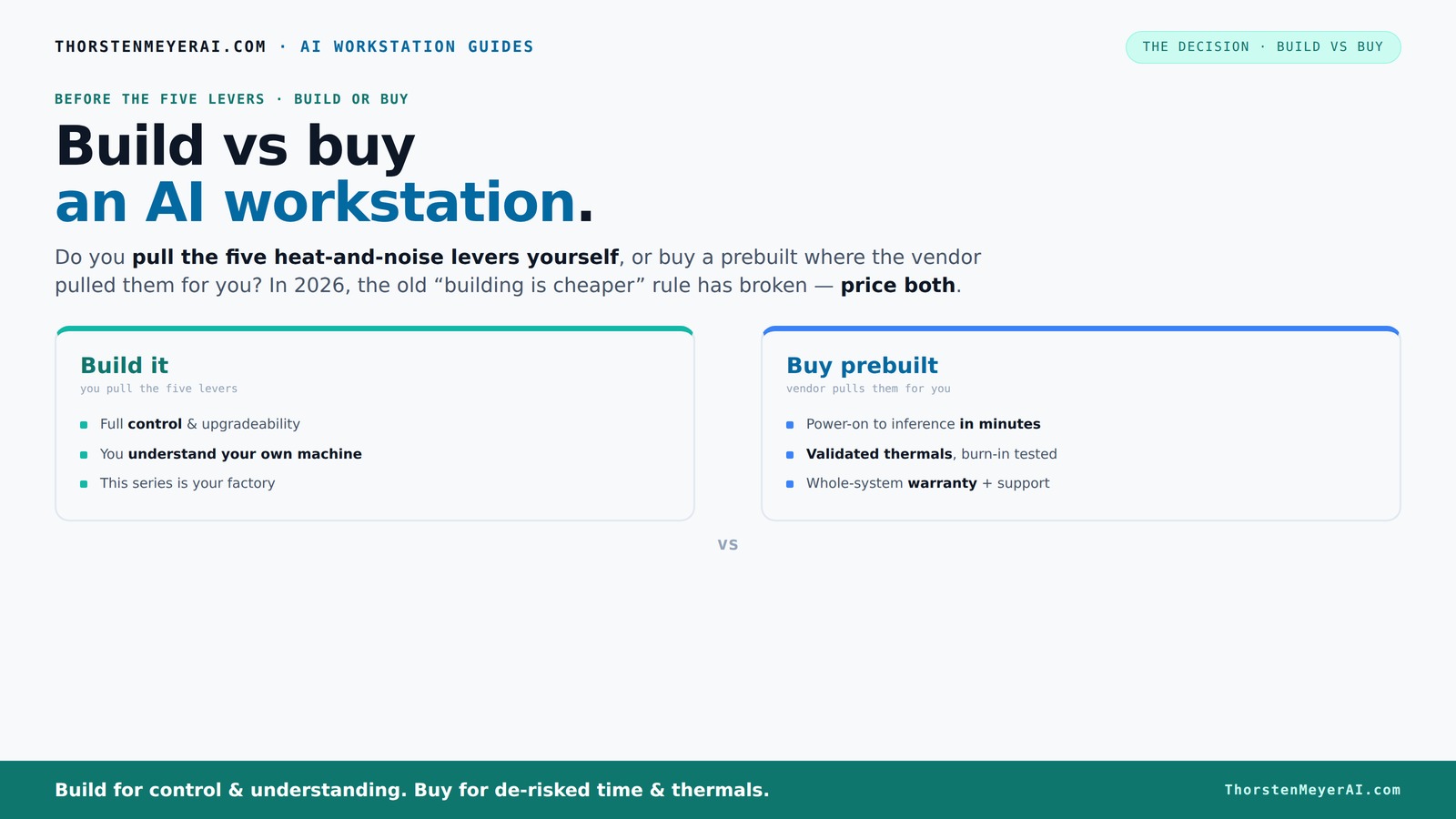
Build vs buy
an AI workstation.
The real question behind this whole series: do you pull the five heat-and-noise levers yourself, or buy a prebuilt where the vendor pulled them for you? And in 2026, the old “building is cheaper” rule has broken. Match your situation in Part 3.
Key Takeaways
- In 2026, prebuilt AI workstations often match or beat DIY prices due to supply chain issues and OEM bulk discounts.
- The decision hinges on whether you want a system ready immediately or prefer full control and customization.
- Prebuilts reduce setup time and come with validated thermals, warranties, and support—ideal for time-sensitive projects.
- Building your own rig offers better upgradeability and control but requires time, expertise, and ongoing maintenance.
- Always compare total costs, including assembly, troubleshooting, and future upgrades, before choosing.
high performance AI workstation prebuilt
As an affiliate, we earn on qualifying purchases.
As an affiliate, we earn on qualifying purchases.
Why 2026 Changes Everything for Build vs Buy
The old rule — 'build cheaper, buy faster' — no longer holds in 2026. Component shortages have driven prices sky-high for GPUs, RAM, and SSDs. Meanwhile, big OEMs snapped up bulk deals early, allowing them to offer prebuilt systems that rival DIY prices.
For example, a DIY AI rig that used to cost around $1,000 now costs $1,250+ because of these spikes. But a prebuilt with similar specs from a vendor like Lambda or Puget might hit the same price point, or even less, thanks to their buying power.
This shift means your decision isn’t just about saving money but also about how quickly you need your system, how much support you want, and how much control over the setup you prefer.

Lenovo ThinkPad P14s Gen 6 Copilot+ Mobile Workstation, 14" FHD+ IPS
- Warranty on Upgraded Components: 3-year warranty on RAM/SSD upgrades
- Powerful AI-Optimized Performance: AMD Ryzen AI PRO 300 Series processor
- Integrated AMD Radeon Graphics: For AI workflows and productivity
As an affiliate, we earn on qualifying purchases.
As an affiliate, we earn on qualifying purchases.
The Heat and Noise Levers: Who’s Pulling Them?
Running an AI rig at full throttle heats things up. Managing thermal noise involves five levers: undervolt the GPU, choose a quality cooler, optimize airflow, tune fan curves, and position the system well. Managing thermal noise involves five levers: undervolt the GPU, choose a quality cooler, optimize airflow, tune fan curves, and position the system well.
When you buy prebuilt, the vendor handles these. They run burn-in tests, tune fan curves, and often include water cooling for quieter, cooler operation. For example, BIZON systems claim up to 30% lower noise and temperature because they optimize these factors at the factory.
If you build, you’re the one pulling those levers. You select a quiet GPU, like the quiet GPU, undervolt it, pick a cooler, and set up airflow yourself. It’s more work, but you gain precise control.

AI Systems Performance Engineering: Optimizing Model Training and Inference Workloads with GPUs, CUDA, and PyTorch
As an affiliate, we earn on qualifying purchases.
As an affiliate, we earn on qualifying purchases.
When Buying a Prebuilt Makes Your Life Easier
If time and support matter, a prebuilt is a strong choice. You get ready-to-run hardware with OS, AI frameworks, and drivers preinstalled. Just power it on and start testing models or inference tasks—no fuss, no delays.
Support is another big plus. Vendors like Lambda or Puget validate thermals, run extensive testing, and back their systems with warranties. If something breaks mid-training, help is just a call away. Plus, for multi-GPU setups, prebuilt vendors have tested configurations that minimize throttling and maximize uptime.
For example, a researcher needing a quick turnaround for a new project might choose a prebuilt for its plug-and-play nature and support, rather than spending weeks sourcing parts and troubleshooting.

NOVATECH AI Workstation Desktop PC – Intel Core i9-14900K, Liquid Cooling – Machine Learning, Data Science, 3D Rendering, Video Editing, Simulation (RTX 5080 | 64GB RAM | 2TB)
- High-Performance CPU: Intel Core i9-14900K processor
- Powerful GPU: NVIDIA RTX 5080 with 16GB VRAM
- Advanced Cooling System: Liquid cooling for optimal performance
As an affiliate, we earn on qualifying purchases.
As an affiliate, we earn on qualifying purchases.
When Building Your Own AI Rig Is Still Worth It
Building your own machine makes sense if you love tinkering or need maximum customization. You pick every part—CPU, GPU, RAM, cooling, case—tailored for your workload and noise preferences.
For example, a hobbyist might undervolt a GPU and set up custom airflow to keep noise down while squeezing out extra performance. Plus, building gives you the flexibility to upgrade components later, unlike some proprietary prebuilt designs.
This approach demands time, patience, and know-how, but it lets you optimize for your exact needs, from thermal performance to future-proofing.
Compare: Build vs Buy — The Must-Know Differences
| Feature | Build Your Own | Buy Prebuilt |
|---|---|---|
| Cost | Typically cheaper on parts, but time-consuming | Often comparable or cheaper due to OEM bulk buying |
| Setup Time | Weeks of sourcing, assembly, testing | Ready in days, plug-and-play |
| Support & Warranty | Limited, DIY troubleshooting | Vendor-backed, with support and warranty |
| Customization | High — choose every component | Limited by vendor options |
| Upgradeability | Easy to upgrade parts | Varies; some proprietary parts limit upgrades |
| Thermal & Noise Tuning | Full control, needs expertise | Factory tuned, validated cooling |
Which Option Fits Your Use Case?
If you need a system immediately for AI inference, fine-tuning, or content creation, a prebuilt can save you days or weeks. It’s ready to run, tested, and supported—perfect for professionals who need to stay productive.
But if you’re a hobbyist, researcher, or someone who loves the process, building might give you better value and control. You can fine-tune every setting, upgrade when needed, and learn how every piece works together.
Ask yourself: Will I prioritize speed and support, or customization and learning?
Latest Trends: AI-Optimized PCs and Software
Manufacturers like Dell now pair high-end hardware with AI-optimized software, making their systems more efficient. Features like AI-accelerated processing, dedicated NPUs, and optimized drivers mean better performance and lower power use for AI workloads.
For example, Dell’s AI PCs include hardware that supports offloading tasks like deepfake detection or background processing, saving CPU and GPU cycles for your main workload.
This focus on validated, AI-ready systems pushes the market toward professional-grade reliability, even in prebuilt options.
Upgrade Paths and Longevity: What You Need to Know
Building generally makes future upgrades easier because you control the motherboard, PSU, and case. You can swap out GPUs, add RAM, or improve cooling without proprietary restrictions.
Prebuilts, however, sometimes use proprietary connectors or limited upgrade slots, which can complicate future improvements. Check if the vendor uses standard components before buying if upgradeability matters.
For example, some OEMs use custom power supplies or non-standard RAM slots, which can limit your options down the line.
The Final Call: Which Is the Smarter Choice?
If you’re racing against a deadline, need support, and want a system that’s ready to deploy, a prebuilt often makes more sense. It’s faster, validated, and backed by warranty.
If you love tinkering, want full control, or plan to upgrade over years, building your own rig offers unmatched flexibility and learning. It’s a rewarding journey but demands time and expertise.
In 2026, the best choice depends on your priorities—speed and support or customization and future-proofing.
Frequently Asked Questions
Is it cheaper to build or buy a prebuilt AI workstation?
In 2026, prices often align more closely than in the past. Due to component shortages and OEM bulk deals, prebuilts can be just as cost-effective as building your own, especially when factoring in time and support.Which option offers better performance for the money?
Performance depends on your configuration. DIY can be optimized for specific workloads, but prebuilt systems from reputable vendors are now often tuned and validated for peak performance, sometimes offering better value overall.Are prebuilts reliable enough for professional AI work?
Yes. Many vendors rigorously test their systems for thermals and stability before shipping. They also back their systems with support and warranties, making them a safe choice for critical workloads.Will a prebuilt limit future upgrades?
It can, especially if it uses proprietary parts or limited upgrade slots. Always check the motherboard and power supply compatibility if future expandability matters to you.Do I need a workstation GPU, or is a consumer GPU enough?
For most AI tasks, a high-end consumer GPU like the RTX 4090 works well. However, for sustained workloads or multi-GPU setups, professional workstation GPUs or validated prebuilt systems optimized for AI can provide more stability and longevity.Conclusion
Choosing between building or buying an AI workstation isn’t just about dollars anymore. It’s about your workflow, patience, and how much support you want. In 2026, the best decision balances speed, reliability, and control—so pick what aligns with your goals.
Remember, your AI system is your tool—treat it like a partner, whether you build it yourself or buy a proven, supported machine. The right choice will power your projects and grow with you.