
Looking for powerful gaming laptops under $1000? I recommend options like the Lenovo LOQ with RTX 4050, Acer Nitro V, MSI Thin, and HP Victus, which pack fast processors, good graphics, and high-refresh-rate displays. These models combine performance and portability, perfect for gaming on a budget. If you’re curious about the details of each, I’ll guide you through the best choices to help you find your perfect match.
Key Takeaways
- Focus on laptops with powerful CPUs like Intel Core i5/i7-13th Gen or AMD Ryzen 5/7 for smooth gaming performance.
- Prioritize models with mid-range GPUs such as NVIDIA RTX 4050/5050 or Radeon Graphics for enhanced visuals.
- Choose devices with high-refresh-rate IPS displays (144Hz or higher) for fluid gameplay and vibrant visuals.
- Look for ample SSD storage (512GB or 1TB) and at least 16GB RAM to support multitasking and fast load times.
- Consider connectivity options like Wi-Fi 6, Thunderbolt 4, and diverse ports to future-proof and expand your gaming setup.
Acer Nitro V Gaming Laptop (ANV15-52-586Z)
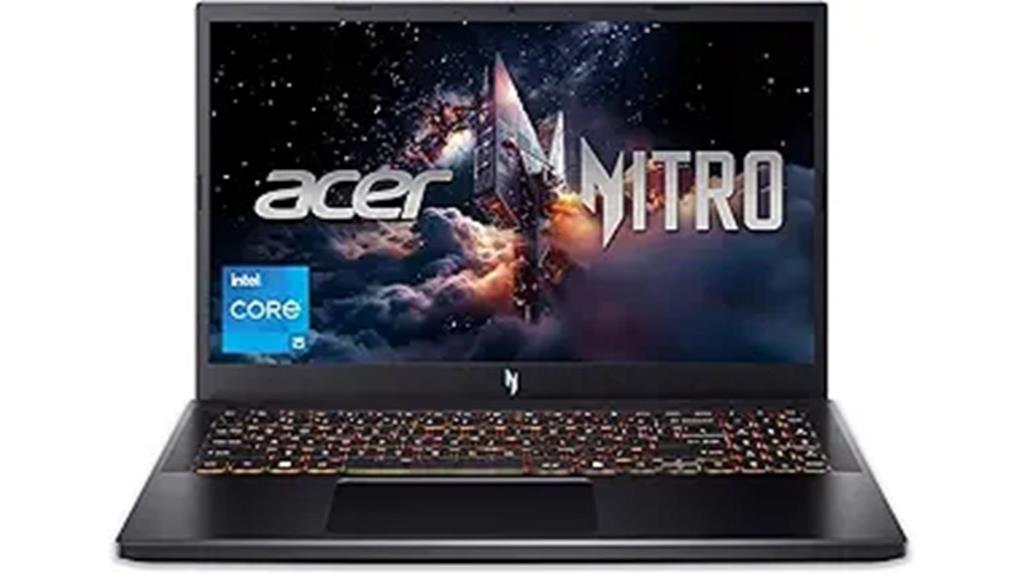
If you’re looking for a gaming laptop under $1000 that delivers serious performance, the Acer Nitro V stands out with its powerful Intel Core i5-13420H processor and NVIDIA GeForce RTX 4050 GPU. This combo handles multitasking, gaming, streaming, and heavy editing tasks with ease. Support for up to 32GB DDR5 RAM and a 512GB PCIe Gen 4 SSD ensures fast speed and smooth operation. The 15.6″ FHD IPS display with a 165Hz refresh rate provides vibrant visuals and minimal ghosting. Combined with Wi-Fi 6, Thunderbolt 4, and multiple ports, it offers excellent connectivity. Its cooling system and sleek design make it a versatile gaming companion.
Best For: gamers and power users seeking a high-performance, portable gaming laptop under $1000 with excellent graphics and connectivity.
Pros:
- Equipped with an Intel Core i5-13420H processor and NVIDIA GeForce RTX 4050 GPU for smooth multitasking and gaming.
- Features a 15.6″ FHD IPS display with a 165Hz refresh rate for vibrant, lag-free visuals.
- Supports up to 32GB DDR5 RAM and fast 512GB PCIe Gen 4 SSD for efficient performance and storage.
Cons:
- The laptop’s weight of 4.66 lbs may affect portability for some users.
- The maximum RAM upgrade is 32GB, which might be limiting for extremely heavy workloads.
- The battery life may be limited due to high-performance components and cooling requirements.
Lenovo LOQ Gaming Laptop (15.6″ FHD, AMD Ryzen 5 7235HS, RTX 4050, 32GB DDR5, 1TB SSD)
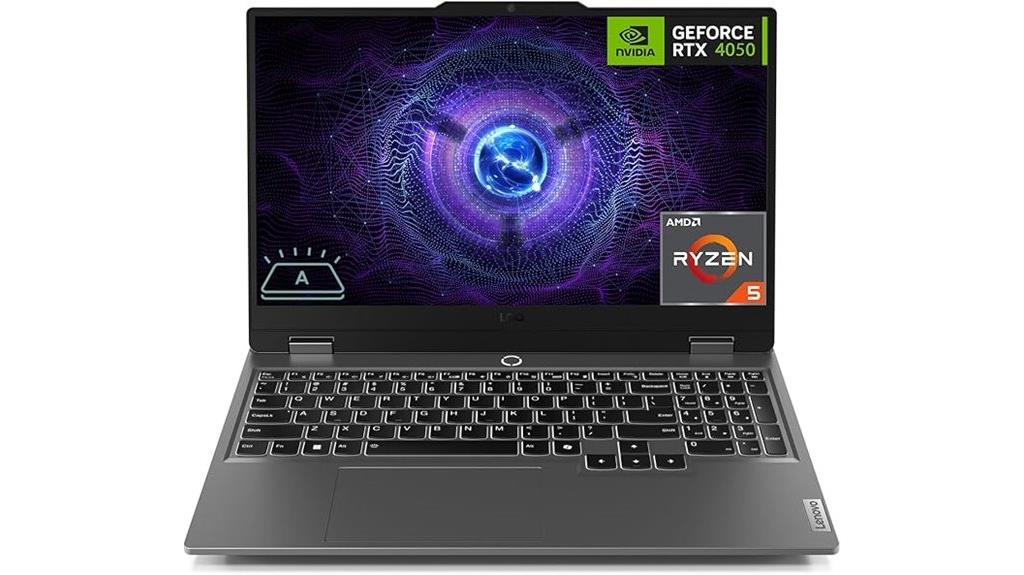
The Lenovo LOQ Gaming Laptop stands out as a top choice for gamers who want powerful performance without breaking the bank. It features an AMD Ryzen 5 7235HS processor with 4 cores and up to 4.2 GHz turbo speed, paired with an NVIDIA RTX 4050 GPU, ensuring smooth gameplay. The 15.6-inch FHD IPS display with a 144Hz refresh rate delivers crisp visuals, while 32GB DDR5 RAM and a 1TB SSD offer ample speed and storage. With Wi-Fi 6 and multiple ports, it covers connectivity needs. Plus, its backlit keyboard and Windows 11 make it a versatile, budget-friendly gaming option.
Best For: gamers seeking a budget-friendly gaming laptop with powerful performance and crisp visuals.
Pros:
- Equipped with an AMD Ryzen 5 7235HS processor and NVIDIA RTX 4050 GPU for smooth gameplay
- 15.6-inch FHD IPS display with 144Hz refresh rate for clear, fluid visuals
- 32GB DDR5 RAM and 1TB SSD provide ample speed, storage, and multitasking capabilities
Cons:
- Limited upgrade options for RAM and storage beyond the specified configurations
- No dedicated cooling system details available, which may affect long-term performance
- Slightly bulky design compared to ultra-portable gaming laptops
Lenovo LOQ Gaming Laptop (15.6″ FHD, RTX 5050, 32GB RAM, 1TB SSD, Windows 11)
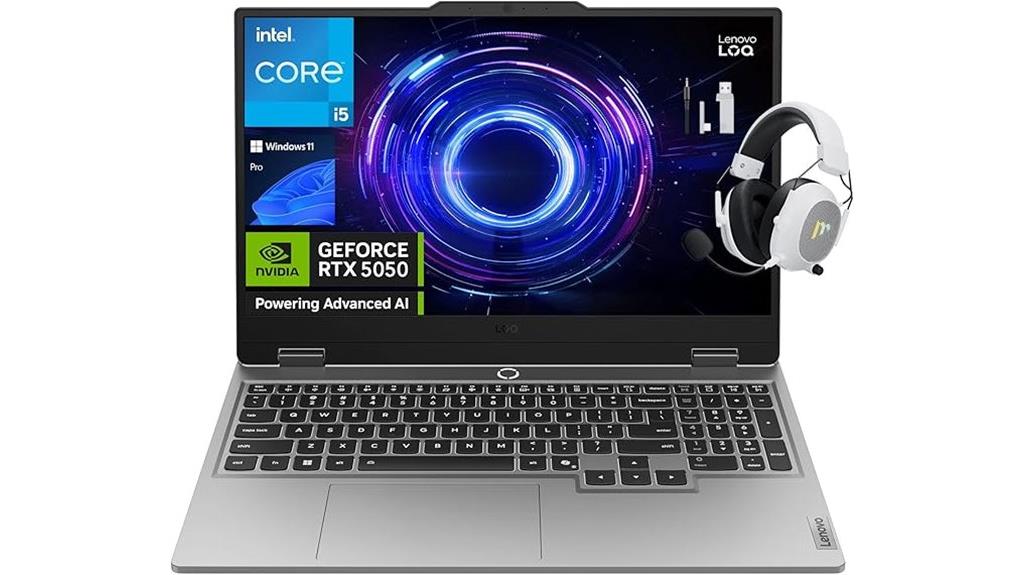
For gamers seeking powerful performance without breaking the bank, the Lenovo LOQ Gaming Laptop stands out with its RTX 5050 GPU and 32GB of RAM, ensuring smooth gameplay and multitasking. Its 15.6″ FHD display with a 144Hz refresh rate, NVIDIA G-Sync, and 100% sRGB color accuracy deliver vibrant, tear-free visuals. Powered by a 13th Gen Intel Core i5 processor with overclocking and Turbo Boost, it handles demanding games and creative tasks with ease. The 1TB SSD provides fast load times, while the sleek Luna Grey design and backlit keyboard add both style and functionality. Overall, it offers impressive specs for under $1000.
Best For: gamers and creative professionals seeking a high-performance, portable laptop with excellent visuals and multitasking capabilities under $1000.
Pros:
- Powerful RTX 5050 GPU with DLSS 4 and ray tracing for immersive gameplay and rendering
- 32GB DDR5 RAM and 1TB SSD for seamless multitasking and fast load times
- High-quality 15.6″ FHD display with 144Hz refresh rate, NVIDIA G-Sync, and 100% sRGB for vibrant, tear-free visuals
Cons:
- No optical drive included, limiting media options
- Weighs 5.65 pounds, which may affect portability for some users
- Battery details are not specified, potentially impacting portability and usage on the go
MSI Thin 15 Gaming Laptop (B13VE-2678US)
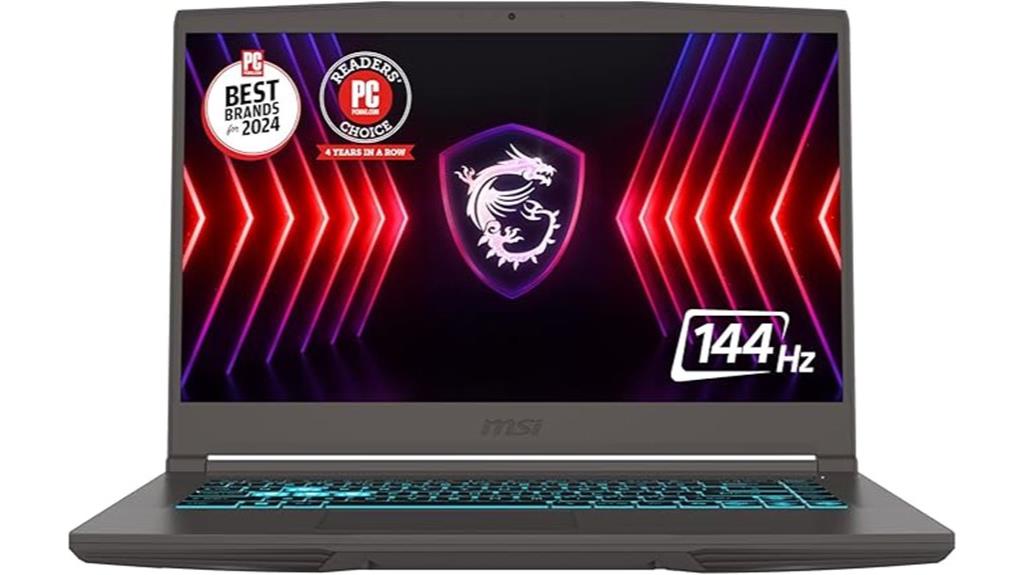
Looking for a gaming laptop that balances performance and affordability? The MSI Thin 15 Gaming Laptop (B13VE-2678US) fits the bill perfectly. It’s powered by a 13th Gen Intel Core i7-13620H processor, ensuring smooth gaming and multitasking. The NVIDIA GeForce RTX 4050 GPU with ray tracing delivers stunning visuals, while the 15.6-inch FHD display with 144Hz refresh rate offers fluid, immersive gameplay. With 16GB DDR4 RAM and a 512GB NVMe SSD, it handles data and multitasking effortlessly. Running Windows 11 Home and featuring WiFi 6E, this sleek black laptop combines power, speed, and style without breaking the bank.
Best For: gamers and multitaskers seeking a powerful, stylish, and affordable gaming laptop for smooth gameplay and everyday productivity.
Pros:
- High-performance 13th Gen Intel Core i7 processor for seamless multitasking and gaming.
- NVIDIA GeForce RTX 4050 GPU with ray tracing for stunning, realistic visuals.
- 144Hz FHD display ensures smooth and immersive gameplay experiences.
Cons:
- Limited 512GB SSD storage may require external options for extensive files.
- Windows 11 Home might lack some advanced features needed for business or professional use.
- Slightly bulky design compared to ultra-lightweight gaming laptops.
Lenovo 15″ Gaming Laptop with AMD Ryzen 5 7535HS and 16GB RAM

If you’re searching for a portable gaming laptop that doesn’t compromise on performance, the Lenovo 15″ Gaming Laptop with AMD Ryzen 5 7535HS and 16GB RAM is an excellent choice. Its slim, lightweight design is built with military-grade durability, making it tough enough for on-the-go gaming. Powered by a six-core Ryzen 5 processor and 16GB DDR5 RAM, it handles demanding tasks smoothly. The 15.3″ IPS display with integrated Radeon graphics delivers sharp visuals for gaming and multimedia. Plus, with a 1TB SSD, Wi-Fi 6, and a full set of ports, it offers reliable performance and connectivity—all under $1000.
Best For: gamers and portable users seeking a high-performance, durable gaming laptop under $1000 with excellent visuals and connectivity.
Pros:
- Slim, lightweight design with military-grade durability for portability and ruggedness
- Powered by AMD Ryzen 5 7535HS processor and 16GB DDR5 RAM for smooth multitasking and demanding tasks
- 15.3″ IPS display with Radeon graphics delivering sharp visuals for gaming and multimedia
Cons:
- Non-touch display may limit interactive features for some users
- Limited to 60Hz refresh rate, which might be less ideal for competitive gaming
- Battery life details are not specified, potentially affecting portability for extended use
2025 Gaming Laptop with AMD Ryzen7 5000 Series and Radeon Graphics
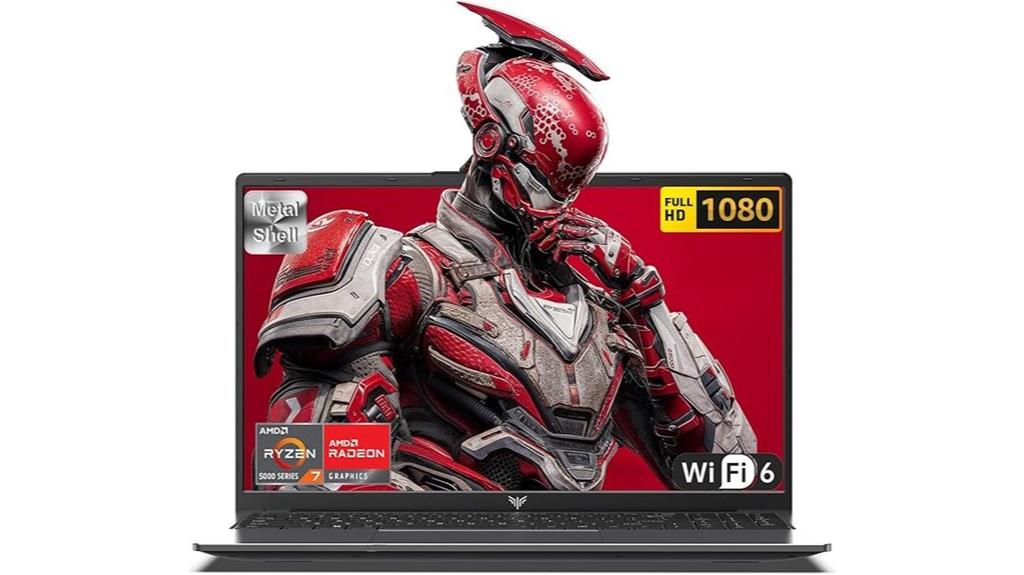
The MALLRACE gaming laptop stands out as an excellent choice for budget-conscious gamers who demand high performance, thanks to its AMD Ryzen 7 5000 Series processor with 8 cores and up to 4.3 GHz. It handles demanding gaming and multitasking effortlessly, thanks to its powerful CPU and Radeon Graphics. The 15.6-inch IPS display offers vibrant visuals and wide viewing angles, enhancing immersion. With 16GB of RAM and a fast 512GB NVMe SSD, it ensures smooth multitasking and quick load times. The cooling system keeps the device stable during intense gaming sessions, making it a well-rounded, affordable option for serious gamers.
Best For: budget-conscious gamers seeking high performance and smooth multitasking in a portable gaming laptop.
Pros:
- Powered by AMD Ryzen 7 5000 Series with up to 4.3 GHz for excellent processing speed
- Vibrant 15.6-inch IPS display with wide viewing angles and accurate colors
- Fast 512GB NVMe SSD combined with 16GB RAM for quick load times and smooth multitasking
Cons:
- Single fan cooling system may limit thermal performance during extended gaming sessions
- Battery life of around 2.5–3 hours may require frequent charging on the go
- No mention of additional ports or upgrade options beyond standard connectivity
2025 Gaming Laptop with 15.6 Inch N150 Processor
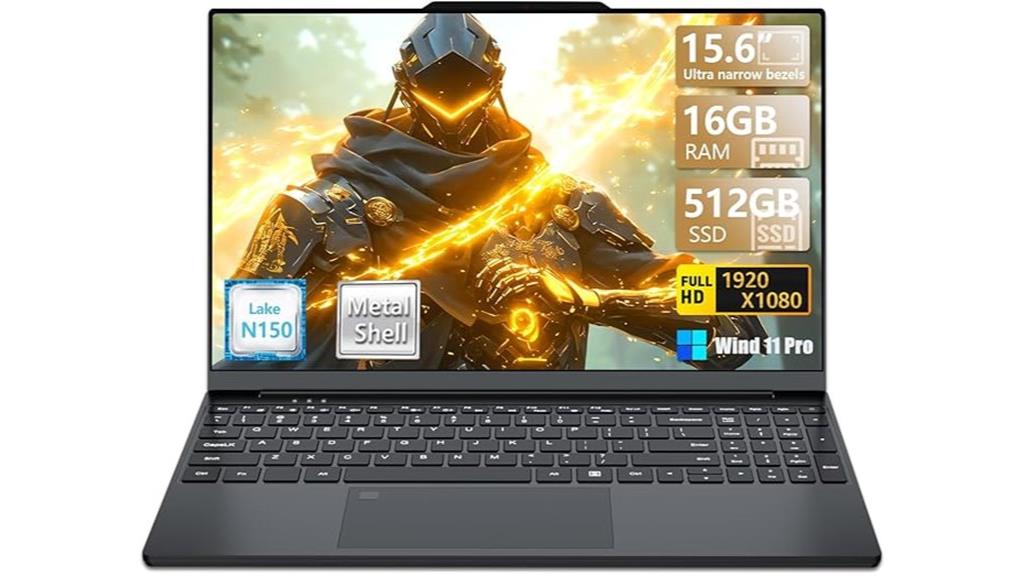
For gamers seeking a portable yet powerful option under $1000, laptops equipped with a 15.6-inch N150 processor stand out. This model features a 12th generation N150 chip with 4 cores and up to 3.6GHz, delivering a significant performance boost over Celeron processors. It comes with 16GB DDR4 RAM and a 512GB SSD, ensuring smooth multitasking and fast data access. The 15.6-inch Full HD IPS display offers vibrant visuals and immersive HD quality. Weighing just 1.6 kg and boasting a 6-hour battery life, it combines portability with solid performance, perfect for gaming and everyday tasks.
Best For: gamers and portable users seeking a powerful, budget-friendly laptop for everyday tasks and gaming under $1000.
Pros:
- Lightweight (1.6 kg) and portable for easy carrying
- High-performance 12th gen N150 processor with up to 3.6GHz
- 16GB DDR4 RAM and 512GB SSD for smooth multitasking and fast data access
Cons:
- Limited to integrated UHD graphics, not ideal for high-end gaming
- Battery life of around 6 hours may be less for extended gaming sessions
- No dedicated GPU, which could restrict graphics-intensive gaming and applications
HP Victus 15 Gaming Laptop with AMD Ryzen 5 7535HS and NVIDIA RTX 2050
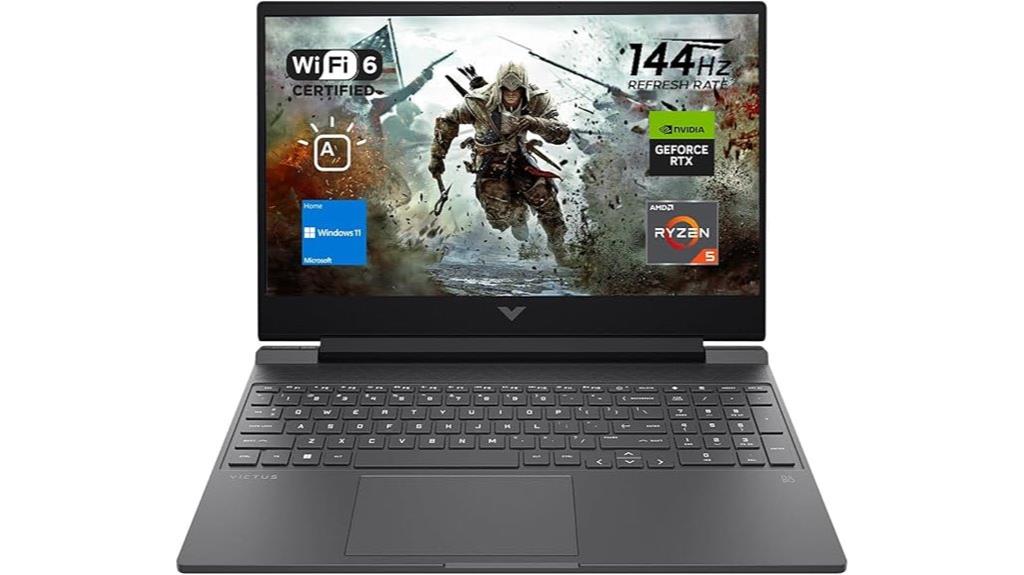
Gamers looking for a powerful yet affordable laptop will find the HP Victus 15 an excellent choice, especially with its AMD Ryzen 5 7535HS processor and NVIDIA RTX 2050 graphics. The Ryzen chip provides smooth multitasking with up to 4.55 GHz boost, while 32GB DDR5 RAM ensures seamless gaming and productivity. Its 15.6” FHD display with a 144Hz refresh rate delivers crisp visuals, complemented by the RTX 2050 GPU for graphics-intensive tasks. Plus, the 1TB SSD offers fast boot times and ample storage. With modern connectivity options, a backlit keyboard, and Windows 11, this laptop balances power, performance, and affordability perfectly.
Best For: gamers and professionals seeking a budget-friendly yet powerful gaming laptop with strong multitasking capabilities.
Pros:
- Equipped with AMD Ryzen 5 7535HS processor for smooth multitasking and gaming performance.
- 32GB DDR5 RAM provides high-bandwidth multitasking and future-proofing.
- 15.6″ FHD display with 144Hz refresh rate offers crisp, smooth visuals ideal for gaming.
Cons:
- NVIDIA RTX 2050, while capable, is entry-level for high-end gaming and graphics tasks.
- No mention of dedicated cooling solutions, which could impact performance during extended gaming sessions.
- Limited to 1TB SSD storage, which may be insufficient for users with large media libraries or games.
NIMO 15.6″ Light Gaming Laptop with AMD Ryzen 7 and 1TB SSD
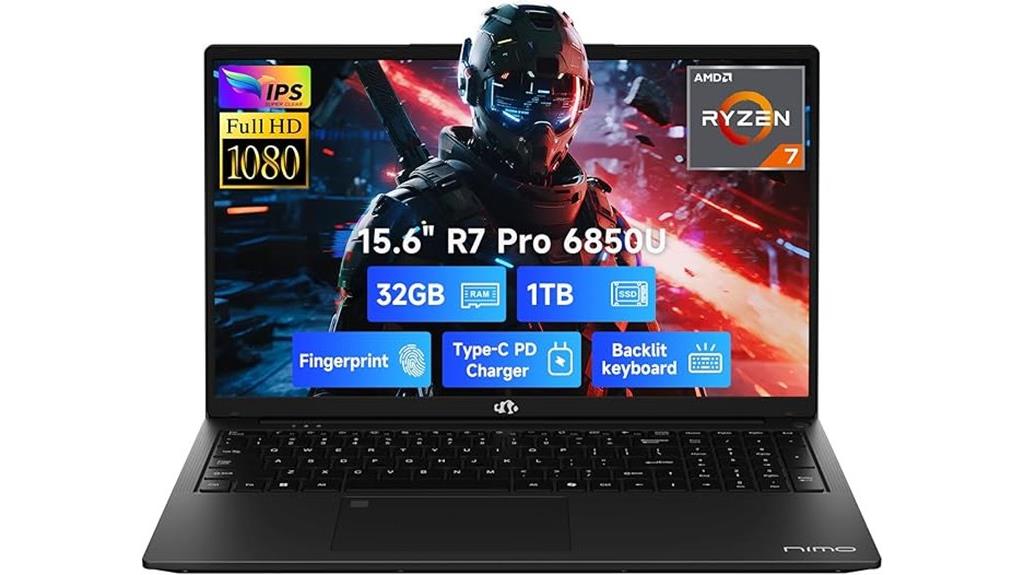
If you’re searching for a lightweight gaming laptop that doesn’t compromise on performance, the NIMO 15.6″ model is an excellent choice. It packs an AMD Ryzen 7 Pro 6850U processor with 8 cores and 16 threads, delivering desktop-grade power for gaming, content creation, and multitasking. The 32GB LPDDR5 RAM and 1TB PCIe 4.0 SSD ensure fast performance and ample storage. The AMD Radeon 680M GPU handles high-quality visuals smoothly. Its durable metal chassis, vibrant 15.6″ FHD IPS display, backlit keyboard, and fast charging support make it a portable, reliable option for demanding users on a budget.
Best For: gamers, content creators, and professionals seeking a lightweight yet powerful laptop for multitasking, gaming, and demanding workloads.
Pros:
- Powerful AMD Ryzen 7 Pro 6850U processor with desktop-grade performance
- Fast 32GB LPDDR5 RAM and 1TB PCIe 4.0 SSD for quick multitasking and ample storage
- Durable metal chassis combined with a vibrant 15.6″ FHD IPS display and backlit keyboard
Cons:
- Limited upgrade options due to integrated components
- May have higher price point compared to less powerful or bulkier alternatives
- Battery life could vary depending on usage, especially during intensive tasks
Acer Nitro V Gaming Laptop (ANV15-52-76NK)
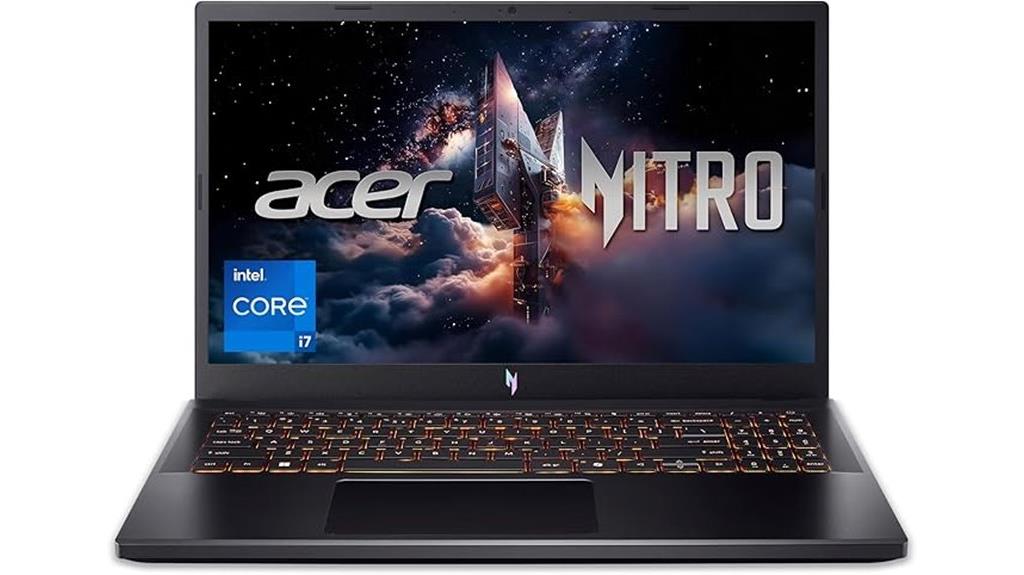
The Acer Nitro V Gaming Laptop (ANV15-52-76NK) stands out as an excellent choice for serious gamers who want powerful performance without breaking the bank. It packs an Intel Core i7-13620H processor, 16GB DDR5 RAM (expandable to 32GB), and a speedy 1TB PCIe Gen 4 SSD, handling multitasking and demanding tasks effortlessly. The NVIDIA GeForce RTX 4050 GPU delivers vivid, immersive visuals with ray tracing support, while the 15.6″ 165Hz Full HD IPS display ensures sharp images with minimal ghosting. Connectivity options like Wi-Fi 6, Thunderbolt 4, and multiple USB ports make it versatile, and the dual fans keep temperatures cool during intense gaming sessions.
Best For: gamers and power users seeking high-performance gaming and multitasking capabilities in a portable, stylish laptop.
Pros:
- Powerful Intel Core i7-13620H processor and NVIDIA GeForce RTX 4050 GPU deliver excellent gaming and creative performance
- Fast 16GB DDR5 RAM (expandable to 32GB) and 1TB PCIe Gen 4 SSD ensure smooth multitasking and quick data access
- High-refresh-rate 15.6″ Full HD IPS display (165Hz) provides sharp, immersive visuals with minimal ghosting
Cons:
- Slightly heavy at 4.66 pounds, which may affect portability for some users
- The device’s core temperature may require monitoring during prolonged gaming sessions despite cooling features
- Limited to one-year warranty, which might not be sufficient for long-term peace of mind
Factors to Consider When Choosing Gaming Laptop Under $1000
When choosing a gaming laptop under $1000, I focus on key factors like graphics performance and processor power to guarantee smooth gameplay. I also consider display quality and storage capacity to enhance the overall experience and meet my needs. Finally, I look at port selection to make sure I can connect all my peripherals easily.
Graphics Performance
A gaming laptop’s graphics performance hinges primarily on its GPU, which handles rendering visuals and ensuring smooth gameplay. For budget-friendly options under $1000, look for GPUs like NVIDIA GeForce RTX 4050 or AMD Radeon graphics, as they deliver high-quality visuals. Features like ray tracing and DLSS technology boost realism and performance in demanding games. A higher refresh rate, such as 144Hz or 165Hz, makes fast-paced action look smoother and reduces motion blur. VRAM size also matters; 4GB or more allows the laptop to handle detailed textures and complex scenes without lag. Additionally, graphics technologies like G-SYNC or FreeSync minimize screen tearing and stuttering, providing a seamless gaming experience. Prioritizing these factors helps you find a laptop that balances power and affordability.
Processor Power
Choosing the right processor is essential for getting the most out of a gaming laptop under $1000. A powerful CPU like an Intel Core i5-13420H or AMD Ryzen 5 7535HS guarantees smooth multitasking and gaming performance. Look for processors with multiple cores and high clock speeds, ideally over 3.0 GHz, to handle demanding games and productivity tasks efficiently. Modern gaming laptops in this price range often feature 8-core or higher processors, which improve streaming, recording, and heavy workloads. Support for overclocking or turbo boost technology can give you extra power during resource-intensive gaming sessions. Additionally, a recent-generation processor offers better energy efficiency, lower heat output, and longer battery life, making your gaming experience more reliable and enjoyable.
Display Quality
To get the most immersive gaming experience on a budget, paying close attention to display quality is essential. I recommend choosing a laptop with at least a Full HD (1920×1080) resolution, ensuring sharp and clear visuals during gameplay. A high refresh rate, like 144Hz or higher, is fundamental for smoother action and reduced motion blur. Opt for IPS panels, which provide wider viewing angles and more accurate colors compared to TN or VA options. Additionally, look for anti-glare coatings to minimize reflections and improve visibility in bright environments. Finally, a high screen-to-body ratio enhances immersion by maximizing the display area relative to the laptop’s size. These features together create a more engaging and enjoyable gaming experience without breaking the bank.
Storage Capacity
When selecting a gaming laptop under $1000, storage capacity plays a crucial role in overall performance and usability. I recommend looking for at least 512GB of SSD storage to guarantee fast load times and enough space for games and files. Prioritize NVMe SSDs over SATA options because they deliver considerably faster data transfer speeds, boosting gaming performance. If possible, choose laptops with expandable storage, such as additional M.2 slots or SD card readers, to accommodate future upgrades. For demanding games and multimedia files, consider models with PCIe Gen 4 SSDs, offering even higher read/write speeds. Ultimately, balance your storage needs with your budget; opting for 1TB or more can be worthwhile if you plan to install many large games and multimedia content.
Port Selection
A gaming laptop’s port selection is essential for guaranteeing seamless connectivity and an ideal gaming experience. I look for multiple USB ports, including USB-C and USB-A, to connect various peripherals like controllers, external drives, or VR accessories. HDMI or DisplayPort outputs are crucial for connecting external monitors or VR headsets, enhancing immersion. An Ethernet port ensures stable, wired internet connections, which are vital for online gaming. I also check for audio jacks for headphones and microphones, supporting communication and immersive sound. Thunderbolt 4 ports are a plus, offering high-speed data transfer, power delivery, and future-proofing. Overall, a well-rounded port selection allows me to connect everything I need without hassle, ensuring smooth gameplay and productive use.
Frequently Asked Questions
How Long Does the Battery Last During Extended Gaming Sessions?
During extended gaming sessions, I usually get around 2 to 4 hours of battery life. It really depends on the game’s intensity and your settings—higher graphics and brightness drain the battery faster. I recommend keeping a charger nearby or adjusting power settings to conserve juice. If you’re planning longer sessions, having a portable charger or power bank can be a lifesaver to keep gaming without interruptions.
Can These Laptops Handle VR Gaming Effectively?
Yes, many of these laptops can handle VR gaming effectively. I look for models with a solid GPU like the GTX 1660 Ti or RTX 3050, along with at least 16GB of RAM and a decent processor. While they might not match high-end VR rigs, they deliver smooth experiences for most VR titles. Just make sure to check the specific VR compatibility and port options before purchasing.
Are These Laptops Suitable for Streaming or Content Creation?
Yes, these laptops are quite suitable for streaming and content creation. I find they handle multiple tasks smoothly, thanks to decent processors and sufficient RAM. They let me edit videos, stream games, and run creative software without much lag. While they might not replace high-end desktops, for a $1000 budget, they offer great value and performance, making them ideal for content creators and streamers on the go.
What Cooling Features Help Prevent Overheating During Gameplay?
When it comes to keeping your gaming laptop cool, I swear by good ventilation and heat sinks. Many laptops have vapor chamber cooling or multiple fans that kick in during intense gameplay. Using a cooling pad can also take the heat off your device. It’s like giving your laptop a gust of fresh air, helping prevent overheating and ensuring smooth, lag-free gaming sessions.
How Upgradeable Are the Components in These Budget Gaming Laptops?
Many budget gaming laptops are somewhat upgradeable, but it varies by model. I’ve found that RAM is often upgradeable, and some even allow storage expansion. However, CPU and GPU upgrades are usually limited or impossible due to soldered components. I recommend checking each laptop’s specifications and user reviews to see what’s possible before making a purchase, so you can plan for future upgrades if needed.
Conclusion
Choosing the right gaming laptop under $1000 means balancing power, performance, and value. It’s about finding a device that handles your favorite games smoothly, that offers reliability and speed, and that fits your budget without compromise. So, prioritize what matters most—whether it’s a strong graphics card, ample RAM, or fast storage. Because when you make the right choice, you’re not just buying a laptop; you’re investing in endless gaming adventures, endless possibilities, and endless fun.